Lock by Lok Leung. Shared under CC BY-ND license.
If you have a WordPress installed on your site, you’ve probably came to a point where you want to secure your site from hackers.
In this post I basically compiled a list of tips of what you could do to secure your WordPress powered sites.
WordPress by default is pretty secure but there is nothing wrong with securing it even more.
Here are some basic tips to protect your WordPress powered sites.
Tip #1: Use different table prefix
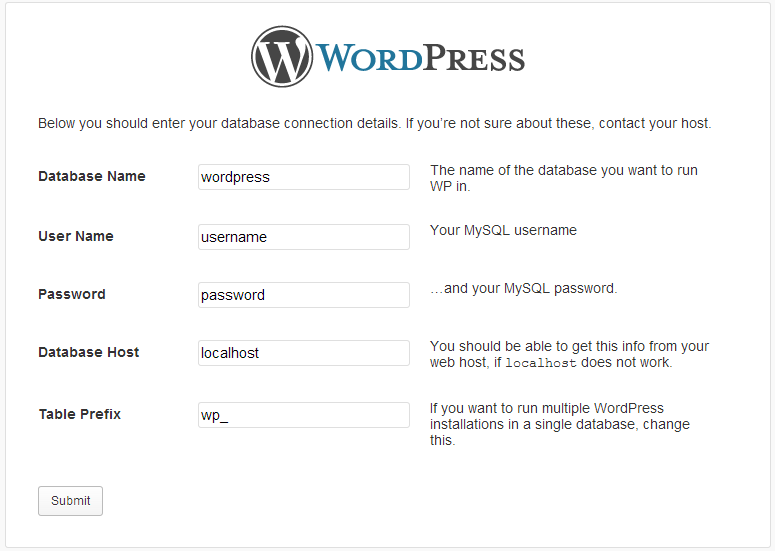
If you have installed WordPress manually before, I am sure that you are already familiar with the screenshot above. Basically, this is the second page of WordPress setup configuration.
Database Name, User Name, Password, and Database Host are all configured on the server end. After entering the values for your setup, the first thing you should change is your Table Prefix.
Majority of WordPress sites use the default table prefix value of “wp_”. When you leave the value to “wp_” your site is prone to being hacked.
Changing this to a different value will make it a little challenging for hackers to exploit your WordPress powered sites.
Remember, the less information hackers know about the site configuration, the harder it will be to exploit your site.
Tip #2: Do not use admin as your username.
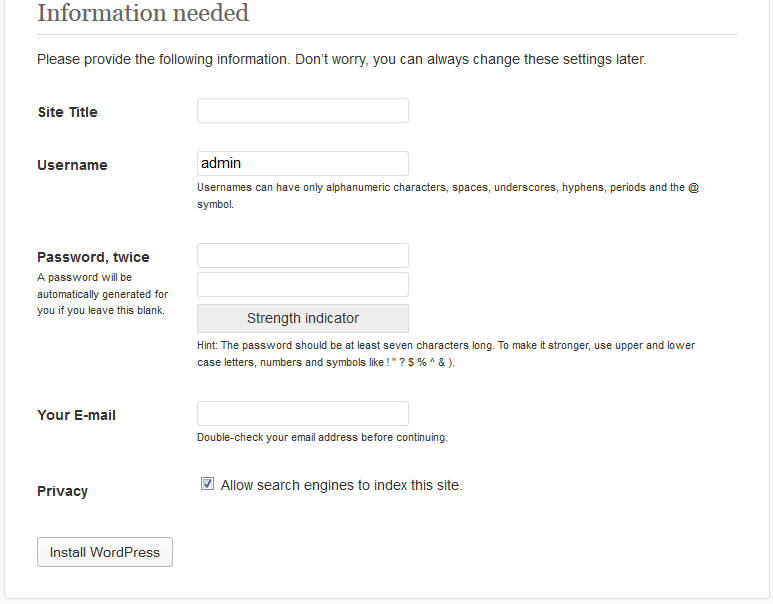
By default, WordPress setup will suggest “admin” as your username. Hackers know this.
And guess what hackers will use as username FIRST if they try to login or guess your password? “ADMIN”
That is why I highly recommend that you do not use admin as your username. You may use something simple as kz_admin.
Do yourself a favor, do not use common passwords such as ‘password’, ‘qwerty’, ‘1234’. Hackers do have a list of commonly used password that they can used to brute force the log in.
Tip #3: Disable directory browsing.
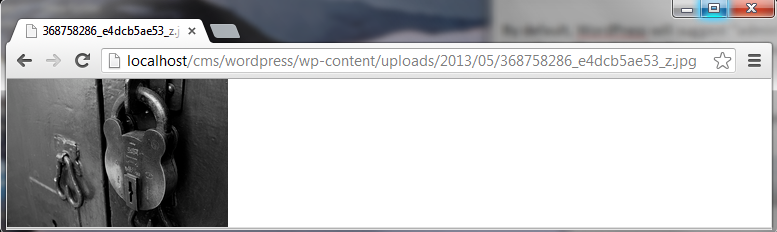
Check this out.
Upload and image or locate an image in your WordPress media library.
Click view and click the image again.
The full URL of your image will now be displayed. If I remove the file name (368758286_e4dcb5ae53_z.jpg) and hit enter, I should not be able to view anything inside 05, 2013, and uploads directory.
To secure this, edit your .htaccess file and add the line ‘Options –Indexes’. Adding this line should prevent unauthorized access to your files.
Tip #4: Update! Update! Update!
Last but not the least, keep your WordPress core, plugins, and themes updated at all times.
WordPress developers made updating really easy. It’s as simple as clicking checkboxes and ONE update button.
And also, whenever an update is released, the whole world can now see what the problem was. Obviously, this exposes sites that are not up to date.
Stay Secured!
I hope that with these tips, your WordPress powered site is even more secured. I hope that you find these tips useful.
What other tips you may have?